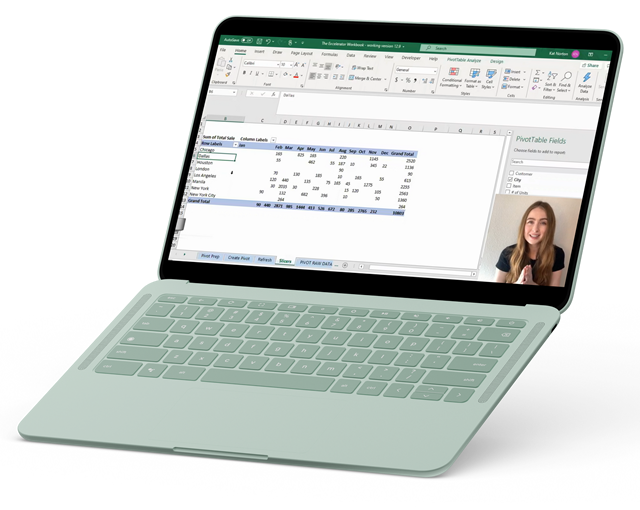
The
Excelerator

TOTAL VALUE:

$1,615.00

YOUR PRICE:

$297.00

The Excelerator Course is perfect for beginner to intermediate level Excel users (think the person who hasn’t made it past the Home ribbon to the Data Ribbon dabbler who can make a basic pivot table). By the end of the course, you will be confidently utilizing lookup functions, building powerful pivot tables and easily automating tasks. You will also become shortcut savvy and put that pesky mouse to rest!

Do you ever feel like...

You would be more marketable for a job or promotion if you were more efficient in Excel?

You waste time trying to figure things out in your spreadsheets and then spend hours Googling what to do?

You wrote «Proficient in Excel» on your resume but hope they don’t make you prove it?

You are doing too many tasks manually in your spreadsheets…there must be a way to automate!

You would be more confident at work or school if you were an Excel wiz?

You would rather spend less time fumbling with spreadsheets & more time doing what you love?

Can You Imagine...

Securing your dream job offer

Landing that raise you've always wanted

Saving HOURS at work allowing you to do more of what you love in life!

IF ANY OF THIS RESONATED WITH YOU, MY COURSE PACKAGE HAS EXACTLY WHAT YOU NEED!

100+

Training Videos

from Excel basics to lookup functions and pivot tables

50+

Practice Files

to walk through the training videos with me

Library of Templates & Guides

a $127 valued collection of pre-made worksheets and PDF Guides

Access to me in our Excelerator Lounge

a private Facebook group where I will be answering your questions and providing my top tips

Course Curriculum

107 VIDEO LESSONS

Welcome!!! 🥳

Download the Practice Workbooks & Answer Keys 📚

Join The Excelerator Lounge Facebook Group!

Shortcut Guides & Template Library 📚

100 — Excel 101 👩‍🏫

101 — Spreadsheet Shuffle 💃

102 — Anatomy of a Function 🦴

103 — Meet the Ribbon 👋

104 — Getting Started in Excel ✨

105 — Copy, Cut and Paste ✂️

106 — Moving Sheets ⬅️

107 — Printing 🖨️

108 — Saving & Closing 💾

200 — Intro to Formatting 🎨

201 — Formatting Basics 🧑‍🎨

202 — Exploring Themes 🪄

203 — Visible Cells Only 🫥

204 — Freezing Panes ❄️

205 — Naming Cells 🏷️

206 — Drop Down Menu 👇

207 — Absolute Referencing 🔐

208 — Paste Special 🎭

209 — Tables 📅

300 — Intro to Conditional Formatting 🖌️

301 — Highlight Cell Rules 💥

302 — Duplicate / Unique Values 👯

303 — Text That Contains 🗨️

304 — Top & Bottom Rules 🔝

305 — Heat Maps 🔥

306 — Clear Rules & New Rules 🆕

307 — Conditional Format Entire Row 📅

Kat Norton

Miss Excel And Instructor

Kat Norton energetically teaches Microsoft Excel to individuals, businesses and educational institutions.

Since launching Miss Excel in June 2020, she has grown a community of over 1,000,000 people on TikTok & Instagram (@miss.excel) through viral Excel trick videos infused with creativity, music and dance.

Kat was recently awarded the Microsoft MVP Award and has been featured in Business Insider, CNBC, and Entrepreneur Magazine as a pioneer in the «Excel Influencer» space. Kat was also named one of the Top Influencers of 2021 by Forbes.

AS SEEN IN

JOIN 17,000 + STUDENTS WHO’VE ACHIEVED MASTERY WITH MISS EXCEL COURSES

Frequently Asked Questions

Each course is designed to be one module per week over 12 weeks. However, if you are the “Netflix binge-watching” type (like myself) — feel free to go forth and conquer! The courses have approximately 12 hours of content in each and the Mini Courses are about 3 hours each.


No! You can start the courses whenever you’d like!

Yes! Each course comes with lifetime access to all course materials.

Please email Kat directly at kat@miss-excel.com to learn more about bulk discounts.

Yes! You will receive a Completion Certificate at the end of each course.

The Miss Excel Guarantee

If in the first 14 days of your purchase your course doesn’t address your learning and growth needs, we’ll refund you in full!

Ready to excelerate your skills?